

What Is an NPU? How Neural Processing Units Are Transforming AI PCs
Artificial Intelligence is changing the way we use computers. From smarter Windows search and live captions to AI-powered photo editing and Microsoft Copilot, modern laptops can now do far more than traditional PCs.
Behind these new capabilities is a specialised processor called a Neural Processing Unit, or NPU.
View IT Hardware Contact Introstat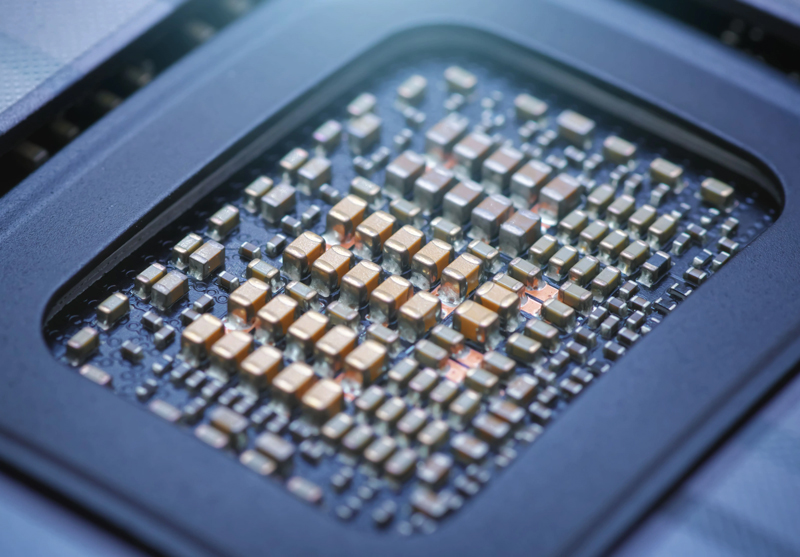
What Is an NPU?
An NPU, or Neural Processing Unit, is a dedicated processor designed specifically for Artificial Intelligence workloads.
Unlike a CPU, which handles everyday computing tasks, or a GPU, which focuses on graphics processing, an NPU is purpose-built to perform AI calculations quickly while using very little power.
These processors help run machine learning models directly on your laptop. This means certain AI features can work locally on the device instead of always relying on cloud servers.
What Does TOPS Mean?
NPU performance is often measured in TOPS, which stands for Trillion Operations Per Second.
The higher the TOPS rating, the more AI calculations the processor can perform every second. Microsoft requires a Copilot+ PC to include an NPU capable of at least 40 TOPS.
This level of performance allows the device to support more advanced AI features in Windows 11 and Microsoft Copilot.
CPU vs GPU vs NPU
A modern computer uses different processors for different jobs. The CPU, GPU and NPU work together to deliver better performance.
| Processor | Main Purpose | Best Used For |
|---|---|---|
| CPU | General computing | Running Windows, opening applications, browsing, multitasking and everyday business work. |
| GPU | Graphics and parallel processing | Gaming, video editing, 3D rendering, graphics workloads and heavy AI processing. |
| NPU | AI acceleration | Microsoft Copilot features, live captions, voice recognition, image enhancement, smart camera effects and local AI tasks. |
The NPU does not replace the CPU or GPU. Instead, it helps by taking AI tasks away from them, allowing the system to work more efficiently.
Why Are NPUs Important?
AI applications require millions, and sometimes billions, of mathematical calculations. Running these tasks on a CPU alone can be slow and inefficient.
A GPU can process AI workloads, but it often consumes more power. An NPU is designed specifically for AI calculations, making it more efficient for everyday AI tasks.
Faster AI Features
NPUs can process supported AI tasks quickly, helping apps respond faster and feel smoother.
Better Battery Life
Because NPUs use less power for AI workloads, laptops can run more efficiently when unplugged.
Local Processing
Many AI tasks can run directly on the device, reducing the need to send data to the cloud.
What Can an NPU Do?
NPUs are designed to improve many everyday computing experiences, especially on modern Windows AI PCs.
1. Microsoft Copilot
Microsoft Copilot helps users write, summarise, research, create and work more productively. On AI-ready PCs, the NPU supports faster and more efficient AI experiences.
2. Smarter Windows Search
AI can make Windows search more natural. Instead of remembering the exact name of a file, users may be able to search using phrases such as “presentation about cybersecurity” or “invoice from last month”.
3. Better Video Calls
NPUs can power smart video call features such as background blur, automatic framing, eye contact correction and background noise removal.
4. AI Photo Editing
Creative tools can use AI to improve lighting, remove objects, enhance images and apply intelligent adjustments faster.
5. Live Captions and Translation
AI PCs can assist with real-time captions and translation, helping improve accessibility and communication during meetings.
What Is a Copilot+ PC?
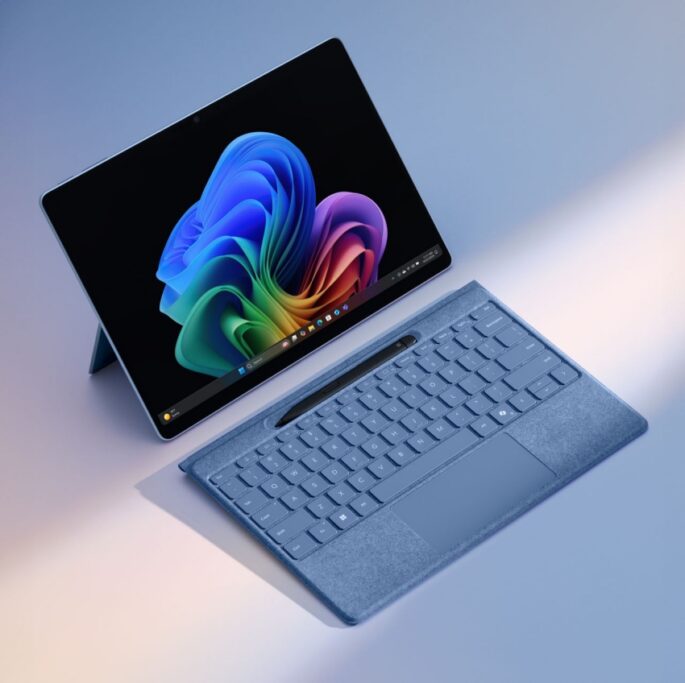
A Copilot+ PC is a new generation of Windows computer designed for AI-powered experiences.
These devices include an NPU with at least 40 TOPS of performance, helping them support advanced Windows AI features.
- AI-enhanced Windows experiences
- Microsoft Copilot support
- Improved video and audio features
- Faster local AI processing
- Better battery efficiency
- Future-ready Windows 11 hardware
Local AI vs Cloud AI
Traditionally, many AI tasks had to be sent to cloud servers for processing. This could introduce delays and required an internet connection.
With an NPU, more AI tasks can happen directly on the laptop.
Privacy
Local processing helps keep more data on the device instead of sending everything to external servers.
Speed
AI tasks can respond faster because they do not always need to wait for cloud processing.
Reliability
Certain AI features may still work even when internet access is limited or unavailable.
Why Businesses Should Care About AI PCs
For businesses, AI PCs are not just about new technology. They are about productivity, efficiency and preparing for the future of work.
- Teams meetings can look and sound better.
- Employees can summarise documents faster.
- Microsoft 365 Copilot can support productivity workflows.
- AI tools can assist with writing, research and reporting.
- Local AI can help improve privacy for sensitive business information.
- Better battery life can support mobile and hybrid workforces.
Who Should Consider an AI Laptop?
Business Users
Ideal for professionals who use Microsoft 365, Teams, Copilot, email, reports and productivity tools daily.
Students
Useful for research, summaries, live captions, note-taking and AI-assisted learning.
Creators
Helpful for photo editing, video enhancement, content creation and AI-assisted design tools.
Do You Need an NPU?
Not every user needs an AI PC immediately. Basic tasks such as browsing, email and simple document editing still work perfectly well on a traditional laptop.
However, an NPU becomes more valuable if you regularly use:
- Microsoft Copilot
- Microsoft Teams
- Video conferencing
- AI writing tools
- AI photo or video editing
- Live captions or transcription
- Local AI tools
- Privacy-sensitive business applications
NPU vs GPU: Which One Is Better for AI?
The answer depends on the workload.
A GPU is excellent for heavy graphics work, gaming, video editing and large-scale AI training. An NPU is better suited for efficient on-device AI inference, such as smart camera effects, transcription, image enhancement and productivity AI features.
| Use Case | Best Processor |
|---|---|
| Gaming and 3D graphics | GPU |
| Video rendering | GPU |
| Everyday Windows tasks | CPU |
| Live captions | NPU |
| Background blur and noise removal | NPU |
| Local AI assistance | NPU |
The best modern systems use all three processors together.
The Future of Windows Is AI
Microsoft is rapidly integrating AI throughout Windows. As these features become more advanced, the NPU will become increasingly important.
Future AI assistants may help users perform tasks with fewer clicks, understand natural language commands, automate repetitive work and improve everyday productivity.
Investing in an AI-ready laptop today helps prepare your business for the next generation of Windows computing.
Frequently Asked Questions
What does NPU stand for?
NPU stands for Neural Processing Unit. It is a processor designed specifically for AI and machine learning tasks.
Is an NPU better than a GPU?
For efficient on-device AI tasks, an NPU is usually better. For graphics, gaming, rendering and AI training, a GPU is still more suitable.
Can I add an NPU to my existing laptop?
No. NPUs are normally built into the processor or system-on-chip. To get NPU capability, you usually need a laptop that already includes one.
What is a Copilot+ PC?
A Copilot+ PC is a Windows computer designed for advanced AI experiences and includes an NPU capable of at least 40 TOPS.
Do businesses need AI PCs?
Businesses that use Microsoft 365, Teams, Copilot, AI tools or hybrid work environments can benefit from AI PCs, especially for productivity and battery efficiency.
Find the Right AI PC with Introstat
Whether you are upgrading a business fleet or purchasing your first AI-powered laptop, Introstat can help you choose the right hardware for Microsoft Copilot, Windows 11 and future AI workloads.
View IT Hardware Contact Introstat